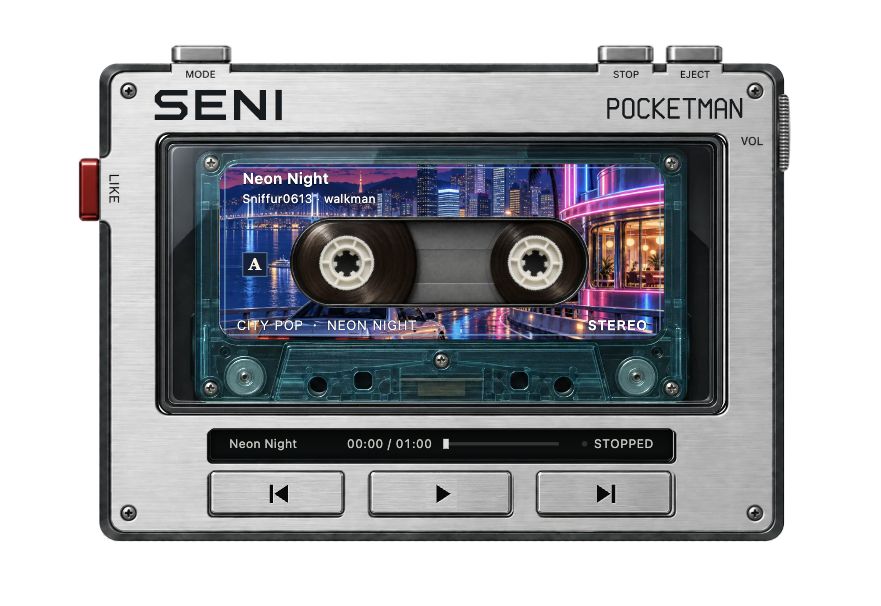
Start with a demo tape
Open the player, wait for the machine and rack to load, then press Play to try the original tracks 霓虹夜行 or 夜の交差点. Playback starts when you press Play. Pause keeps your place; Stop returns to the beginning.
How do I play local music files?
Open Tracks and choose local audio. Select files your browser can play, pick a destination rack, and add them. Files stay on your device and are not uploaded to a music service. Whether a file plays depends on its format. After a refresh, select local audio files again.
How do I connect NetEase Cloud Music?
From Tracks, open NetEase Cloud Music and connect your own account. Search for songs, open a playlist, or follow a shared playlist link, then choose a destination rack. Membership, purchase, region, and track limits still apply. When a track cannot play, the player shows a message.
How do I use Apple Music?
From Tracks, open Apple Music and connect your own account. Full playback needs an active subscription and Apple authorization; what you can play depends on your account and region. The player does not bypass DRM or subscription limits.
How do I choose music and switch players?
Put songs into different racks. Click a cassette case to see track details, then click again to load it. Use Play, Pause, Stop, skip, volume, and playback mode. In Appearance, switch player models and backgrounds. The list is remembered only in this browser; it is not a cloud audio backup.
Do I need a physical Walkman or a music account?
This is a music player you can use on the web without a physical Walkman. It plays digital audio; it cannot read or record physical tapes, and it cannot rip CDs. You can try the demos or add local audio without connecting a music account. Service music needs your own account and the relevant permissions.
Why is there no sound when I press Play?
If there is no sound, press Play, check the player volume and whether the browser tab is muted, and confirm the track can play. If a service reports an expired login or a permission issue, reconnect or pick a track you can play. After a refresh, select local audio files again.
Who is this player for?
For people who want a cassette or CD-style listening interface in a desktop browser. If you mainly need to manage a large local library, your system music player is another straightforward option. This site is not a hardware shop and does not offer music downloads or copyright licenses.